News and blog
NXLog main page
  • Products
    NXLog Platform
    Log collection
    Log management and analytics
    Log storage
    NXLog Community Edition
    Integrations
    Professional Services
  • Solutions
    Use cases
    Specific OS support
    SCADA/ICS
    Windows event log
    DNS logging
    MacOS logging
    Open Telemetry
    Solutions by industry
    Financial Services
    Government & Education
    Entertainment & Gambling
    Telecommunications
    Medical & Healthcare
    Military & Defense
    Law Firms & Legal Counsel
    Industrial & Manufacturing
  • Pricing
    Licensing
    Plans
  • Partners
    Find a Reseller
    Partner Program
    Partner Portal
  • Resources
    Documentation
    Blog
    White papers
    Videos
    Webinars
    Case Studies
    Community Program
    Community Forum
  • About
    Company
    Careers
  • Support
    Support portals
    Contact us

NXLog Platform
Log collection
Log management and analytics
Log storage
NXLog Community Edition
Integrations
Professional Services

Use Cases
Specific OS support
SCADA/ICS
Windows event log
DNS logging
MacOS logging
Open Telemetry
Solutions by industry
Financial Services
Government & Education
Entertainment & Gambling
Telecommunications
Medical & Healthcare
Military & Defense
Law Firms & Legal Counsel
Industrial & Manufacturing

Licensing
Plans

Find a Reseller
Partner Program
Partner Portal

Documentation
Blog
White papers
Videos
Webinars
Case Studies
Community Program
Community Forum

Company
Careers

Support portals
Contact us
Let's Talk
  • Start free
  • Interactive demo
Let's Talk
  • Start free
  • Interactive demo
NXLog search
  • Loading...
Let's Talk
  • Start free
  • Interactive demo
October 27, 2021 strategy

Three important features you can have with the Enterprise Edition over the Community Edition

By John Kirch

Share
ALL ANNOUNCEMENT COMPARISON COMPLIANCE DEPLOYMENT SECURITY SIEM STRATEGY RSS

Features of NXLog Enterprise Edition you must have

So, it turns out that your organization needs a reliable solution that can collect, parse, forward, and aggregate your log data. This need might be based on any number of reasons. Perhaps it is due to regulatory compliance mandates. Maybe your security analysts have realized that collecting security logs is the best way to detect potential cyber attacks. These are all valid reasons. But you are probably wondering how you will ever find the right logging solution that meets all of your requirements from a sea of competing products. Well, one way of approaching this challenge is to focus on software that is modular in design. Why? Because this design principle means you use only what you need, when you need it. In other words, you benefit from a lightweight solution with a small footprint, capable of incorporating new modules that can be developed and released more frequently than major features can be developed and integrated into applications having a monolithic design.
EEvsCE

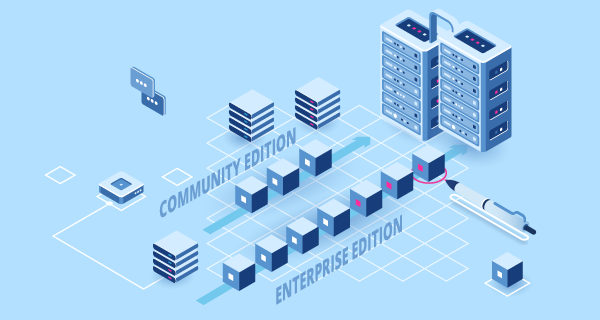
NXLog is available as two editions: The NXLog Community Edition and the NXLog Enterprise Edition that make log forwarding and log aggregation effortless.

The NXLog Community Edition provides a treasure trove of features. These include small memory footprint, high performance, and multi-platform deployment on systems like Linux and Windows. It even supports security protocols like TLS/SSL for authenticating allowed connections and providing a secure log message transport for sensitive data.

Without a doubt, NXLog Community Edition’s myriad of impressive features can benefit any organization. However, your particular industry might need some additional features or modules that are only available with the NXLog Enterprise Edition. Let’s look at some of those key differences:

Centralized management

With the NXLog Enterprise Edition you have the advantage of connecting your agents to NXLog Manager, a web-based application that can manage and monitor thousands of NXLog agents. It can update agents' configuration files across your entire enterprise centrally, so that any changes you make are instantaneous. This is due to NXLog Manager’s powerful ability to deploy changes to managed agents automatically.

Technical support

Deploying new software components throughout an entire organization can be a challenge. In fact, technical assistance may be needed to set up NXLog Manager in larger environments for it to be optimized. This can include creating templates for configuring agents, or creating and managing certificates. With NXLog Enterprise Edition you can get dedicated technical support. With quick response times and years of experience in the data logging industry, why not leave it to the professionals at NXLog so that your team can focus their entire resources on what they do best.

Programming languages

Are you looking for a data logging solution that can integrate with your custom log processing scripts? Say no more. NXLog Enterprise Edition provides a wealth of modules that support Java, Perl, Python, Ruby, and Go. This means your team can continue to develop scripts using the language they’re most comfortable with, knowing that their custom parsers will seamlessly integrate with NXLog.

If your organization is looking for a mature, comprehensive solution that integrates with so many third-party systems and continues to be successfully deployed in so many specialized industries, you can be sure that NXLog Enterprise Edition will satisfy your most stringent requirements regarding log data collection, processing, forwarding, and storage.

GET STARTED TODAY

CONTACT US Our experts are happy to help REQUEST A FREE TRIAL Give NXLog Enterprise Edition a try GET PRICING Request a quote
  • features
  • nxlog ee
Share

Facebook Twitter LinkedIn Reddit Mail
Related Posts

Making the most of Windows Event Forwarding for centralized log collection
6 minutes | December 17, 2018
DNS Log Collection on Windows
8 minutes | May 28, 2020
DNS Log Collection and Parsing
5 minutes | May 31, 2020

Stay connected:

Sign up

Keep up to date with our monthly digest of articles.

By clicking singing up, I agree to the use of my personal data in accordance with NXLog Privacy Policy.

Featured posts

Security dashboards go dark: why visibility isn't optional, even when your defenses keep running
February 26, 2026
Building a practical OpenTelemetry pipeline with NXLog Platform
February 25, 2026
Announcing NXLog Platform 1.11
February 23, 2026
Adopting OpenTelemetry without changing your applications
February 10, 2026
Linux security monitoring with NXLog Platform: Extracting key events for better monitoring
January 9, 2026
2025 and NXLog - a recap
December 18, 2025
Announcing NXLog Platform 1.10
December 11, 2025
Announcing NXLog Platform 1.9
October 22, 2025
Gaining valuable host performance metrics with NXLog Platform
September 30, 2025
Security Event Logs: Importance, best practices, and management
July 22, 2025
Enhancing security with Microsoft's Expanded Cloud Logs
June 10, 2025

Categories

  • ANNOUNCEMENT
  • COMPARISON
  • COMPLIANCE
  • DEPLOYMENT
  • SECURITY
  • SIEM
  • STRATEGY
  • Products
  • NXLog Platform
  • NXLog Community Edition
  • Integration
  • Professional Services
  • Licensing
  • Plans
  • Resources
  • Documentation
  • Blog
  • White Papers
  • Videos
  • Webinars
  • Case Studies
  • Community Program
  • Community Forum
  • Compare NXLog Platform
  • Partners
  • Find a Reseller
  • Partner Program
  • Partner Portal
  • About NXLog
  • Company
  • Careers
  • Support Portals
  • Contact Us

Follow us

LinkedIn Facebook YouTube Reddit
logo

© Copyright NXLog Ltd.

Subscribe to our newsletter

Privacy Policy • General Terms of Business
