
We are happy to announce the latest release of NXLog Platform, version 1.11. This version focuses on operational visibility and compliance, smoother troubleshooting, and improved security and access controls.
Want a quick overview? Watch a short demo showcasing the new features in this release:
Read on for more details about these updates.
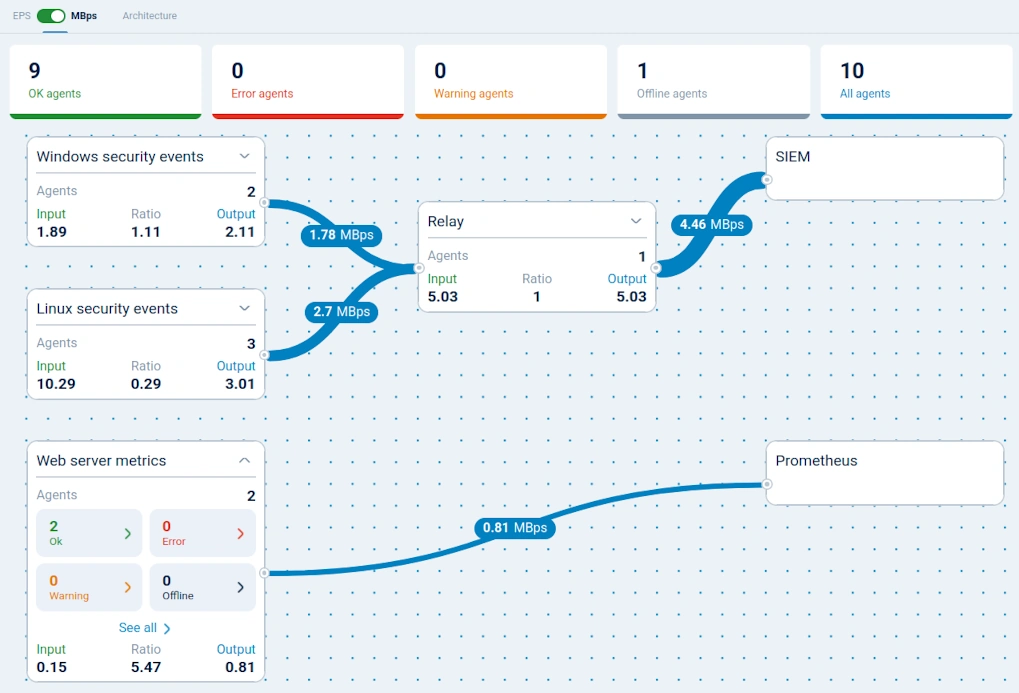
Monitor data volume in the NXLog Platform UI
You can now monitor the volume of inbound and outbound data flowing through your agents directly in the NXLog Platform UI, either from the agent statistics view or via the data flow visualization.
This makes it possible to see the impact of filtering and enrichment on data volume, keep ingestion under control, and avoid unexpected storage or SIEM costs while still collecting the level of detail your teams need.
Enforce two-factor authentication across your organization
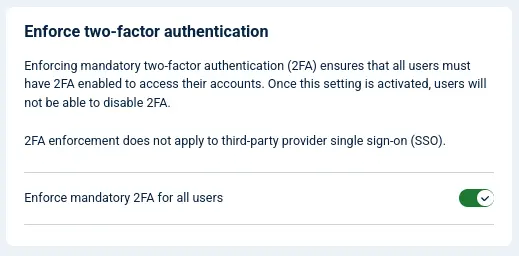
Administrators can now activate an organization-wide policy that requires all users to activate two-factor authentication (2FA) before accessing NXLog Platform.
Instead of relying on individual user opt-in, this centralized setting ensures consistent security enforcement across the entire organization.
By mandating 2FA, you significantly reduce the risk of unauthorized access, strengthen protection of your environment, and align with internal security and compliance requirements of your organization. Security and compliance teams gain assurance that every user with NXLog Platform access is protected by multi-factor authentication.
NXLog Agent upgraded to OpenSSL 3.5 LTS
NXLog Agent 6.12 ships with updated OpenSSL libraries from the current 3.5 Long-Term Support (LTS) branch. By moving away from end-of-life OpenSSL versions, this update reduces exposure to known vulnerabilities and aligns better with security and certification requirements where EOL cryptographic libraries are flagged during audits.
The migration to OpenSSL 3.5 LTS also improves compatibility with modern TLS configurations, helping ensure that NXLog Agent can connect securely to up-to-date endpoints without requiring weaker protocol or cipher settings.
Support for OpenShift deployment enters GA
OpenShift support is now generally available in the NXLog Platform Helm chart.
With GA support, you can roll out NXLog Platform on Red Hat OpenShift using familiar tools and processes while staying within your existing enterprise standards for cluster management, security, and automation.
Audit Windows Registry changes with built-in templates
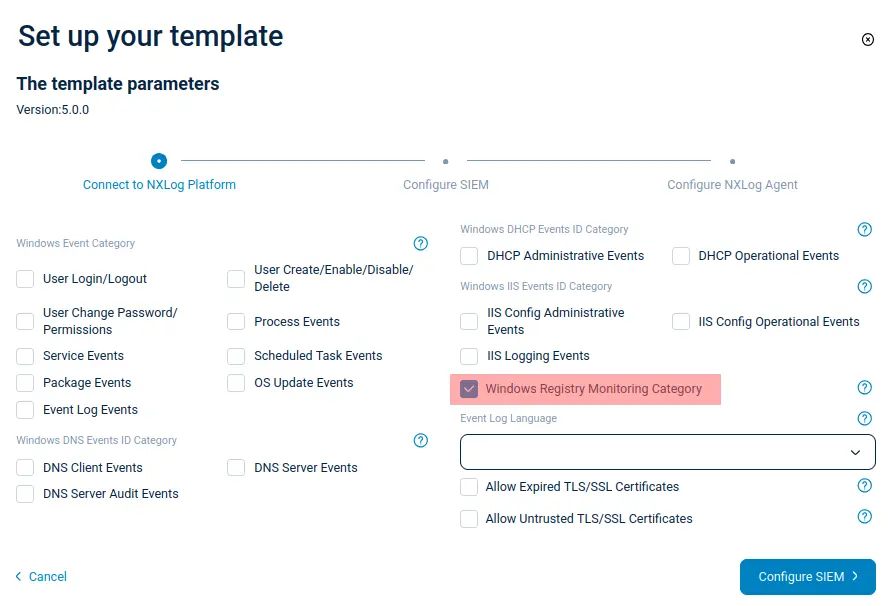
All Windows configuration templates provided with NXLog Platform now support collecting Windows Registry audit events for key and value operations, such as creation, rename, change, and deletion.
This gives security and operations teams direct visibility into important configuration changes in the Windows Registry, using the same centralized logging pipeline they already rely on for other Windows events. It helps detect unauthorized or unexpected changes to critical settings while keeping configuration simple and consistent across your Windows infrastructure.
Improved diagnostics for faster troubleshooting
The following updates add more detailed logging and diagnostics, making it easier to capture and access the information you need when investigating issues.
Persistent deployment logs
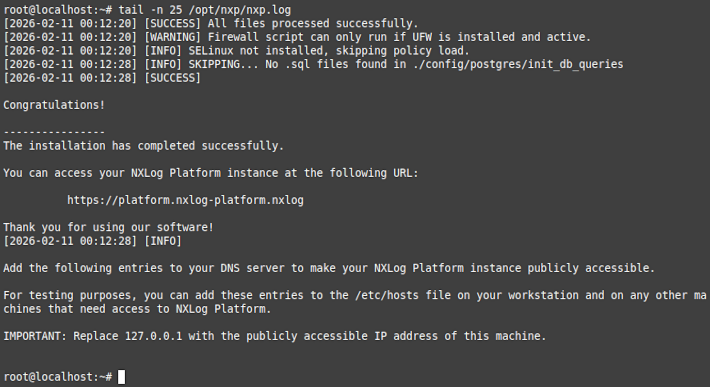
The NXLog Platform installation process now writes detailed log messages to a file. This makes it easier to review what happened during an installation or upgrade to identify and solve any issues, either during troubleshooting or when submitting requests to NXLog Support.
TLS certificate details logging
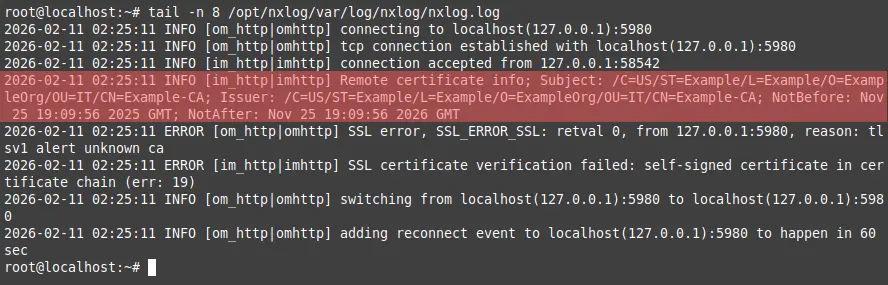
NXLog Agent 6.12 allows logging key certificate details — such as the certificate subject, issuer, and validity period — when a TLS handshake fails, helping you quickly understand why secure connections are not being established.
This additional context makes it easier to spot misconfigurations, such as the wrong certificate being presented or an expired certificate, so you can restore secure connectivity faster and reduce downtime caused by TLS-related issues.
HTTP request logging
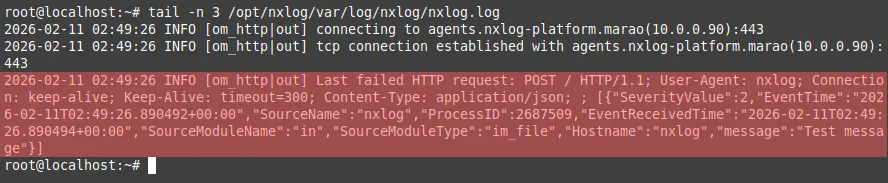
To make HTTP(S) output module connectivity issues easier to diagnose, NXLog Agent 6.12 includes a new function that logs the last HTTP request sent to the remote endpoint that failed.
Having access to the complete HTTP request helps you quickly spot misconfigurations such as missing or incorrect authentication headers, wrong paths, or malformed requests, so you can fix integration issues faster and reduce downtime caused by HTTP errors.
Find out more
Our release notes include all of the new features and fixes. Our comprehensive documentation provides additional details. Contact us below if you need help upgrading, have a feature request, or have any other questions.


