
We are happy to announce the latest release of NXLog Platform, version 1.10. This update introduces streamlined TLS certificate management, broader operating system support, and simplified agent configuration. It will now be even faster and easier to deploy and operate your telemetry pipeline.
Want a quick overview? Watch a short demo showcasing the new features in this release:
Read on for more details about these updates.
Centrally managed certificates for data destinations
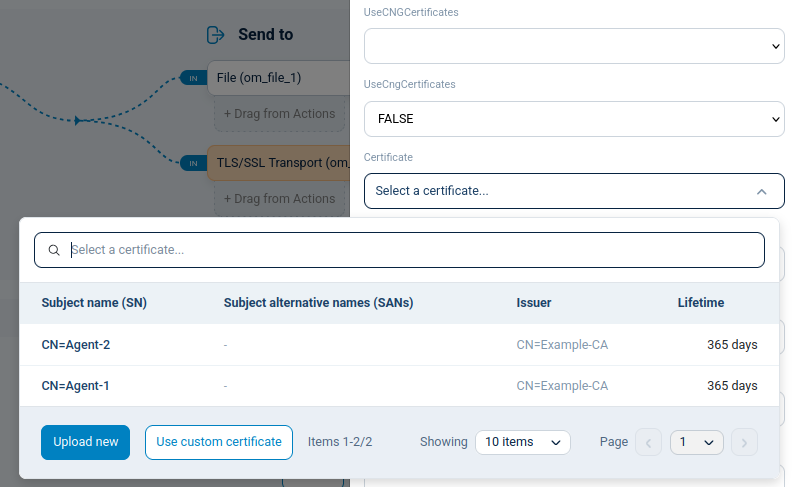
NXLog Platform 1.10 includes a new UI section that allows you to easily upload and manage TLS certificates used by agents when communicating with different third-party services and modules. This eliminates the need for manually transferring agent certificates to the NXLog Agent host systems, greatly simplifying your operations, especially when configuring multiple agents to connect independently to your destination SIEM or APM.
Easy selection of Windows events to collect
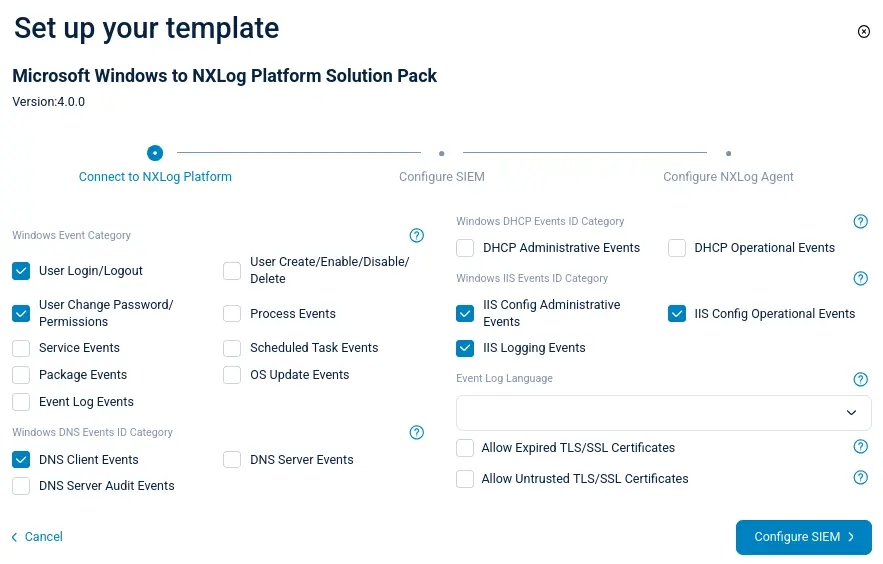
Configuring templates for Windows agents is now quicker and more intuitive. The configuration wizard presents events grouped according to specific tasks, making it easier to find and select the correct events to collect. The enhanced user interface for Windows configuration templates makes your configuration tasks faster and more straightforward.
Export agent list from the UI
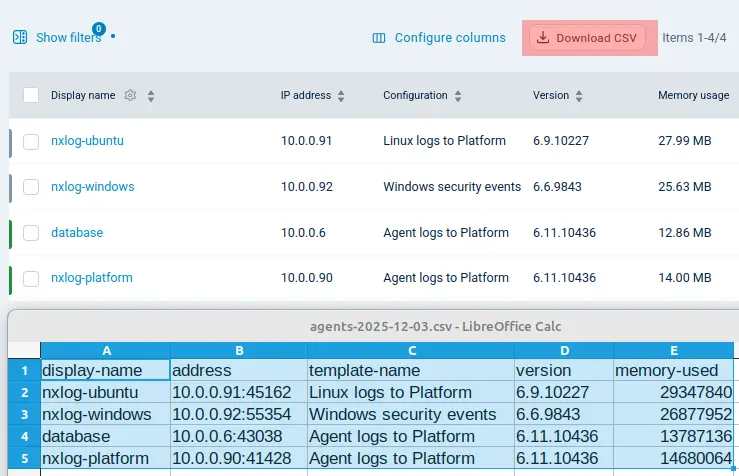
It’s now possible to export your list of agents directly from the NXLog Platform interface (previously, this was only possible using the API). The downloaded CSV file can be used in other workflows or shared with users who don’t have access to NXLog Platform. All customizations you’ve made to the list, such as column order and applied filters, are reflected in the exported data.
Collect data from SUSE 16 and Oracle 10
NXLog Agent 6.11 can now be deployed on the recently released SUSE Linux Enterprise Server 16 and Oracle Linux 10, ensuring you can effectively monitor all your systems, regardless of how new they are.
Bulk collection of agent metrics
Collecting statistics for NXLog Agent modules and routes using the Internal Metrics input module has never been easier. You can now use regular expressions instead of identifying each module instance or route individually, significantly reducing configuration complexity. You retain the same powerful observability into your telemetry collection process, but with far less configuration overhead.
<Input agent_metrics>
    Module           im_internalmetrics
    CounterModule    tcp_.*
</Input>
Configurable certificate on NXLog Platform deployment
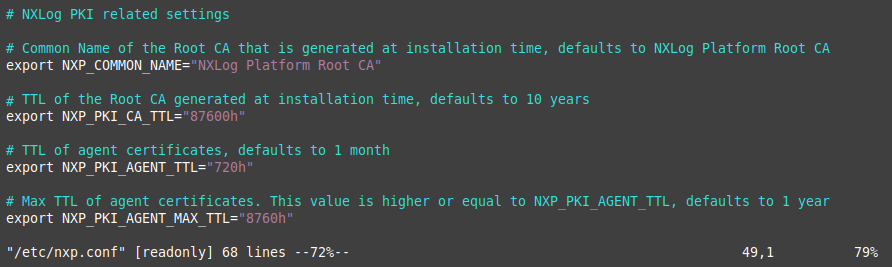
Additionally, you can now configure the default CA generated during the NXLog Platform installation. This provides an easy and secure way to comply with stricter requirements for certificate parameters like the CA validity, SAN, and CN Name from the moment you run NXLog Platform for the first time.
Run NXLog Platform on Rocky Linux 9
NXLog Platform 1.10 can now be deployed on Rocky Linux 9. Installation works exactly as it does on any other Red Hat-compatible system, giving you greater flexibility in your deployment options.
Faster sign-up process
We streamlined the NXLog Platform sign-up process by eliminating steps and including fewer prompts, allowing you to deploy your instance faster than ever. Getting up and running with NXLog Platform is now a breeze.
Sign up today and take advantage of our streamlined deployment.

Find out more
Our release notes include all of the new features and fixes. Our comprehensive documentation provides additional details. Contact us below if you need help upgrading, have a feature request, or have any other questions.


