
We are happy to announce the latest release of NXLog Platform, version 1.12.
This release introduces full version history for agent configurations, giving you a clear audit trail and the ability to instantly restore any previous version. It also brings a redesigned Customer Portal with a streamlined onboarding experience and improved navigation.
Want a quick overview? Watch a short demo showcasing configuration version history, one of the key new features in this release:
Read on for more details about these updates.
Manage and restore configuration versions
NXLog Platform now tracks all changes to agent configurations: what was changed, by whom, and when. You can browse previous versions, compare any two versions side by side to see exactly what changed, and restore an earlier version.
The configuration version history provides a clear audit trail of configuration changes, supporting security reviews and compliance requirements.
Automatic versioning also reduces the risk of disruption when updating configurations across your agent fleet. Previously, pushing a configuration change that caused agent errors meant rebuilding the previous working configuration by hand. Now you can recover immediately, reducing downtime and the risk of data loss that can carry compliance and operational costs.
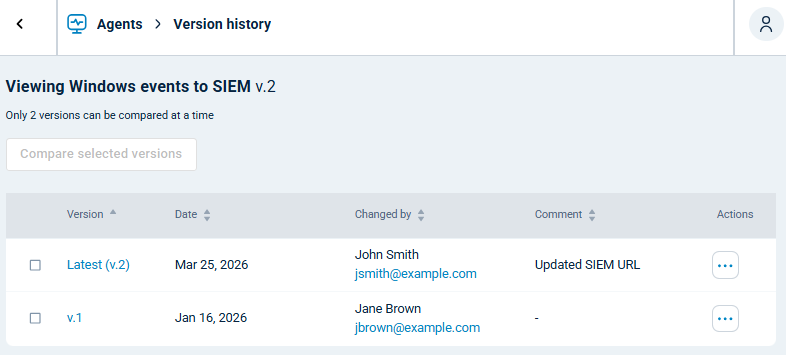
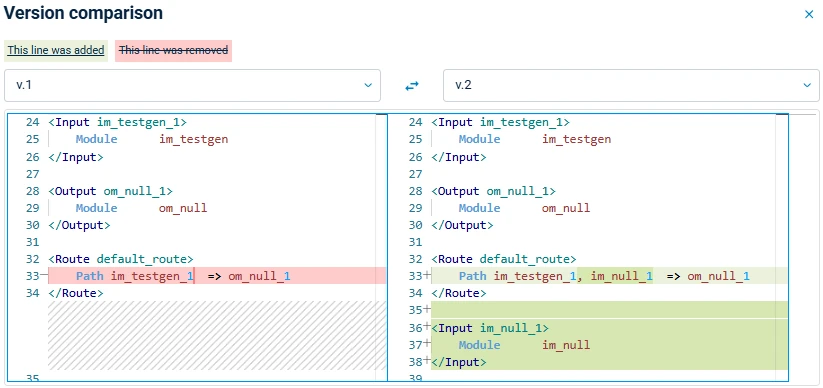
This also makes iterating on configurations in test environments safer: each saved version acts as a restore point, and the side-by-side diff makes it easy to understand what each change produced.
Simplified Customer Portal onboarding and navigation
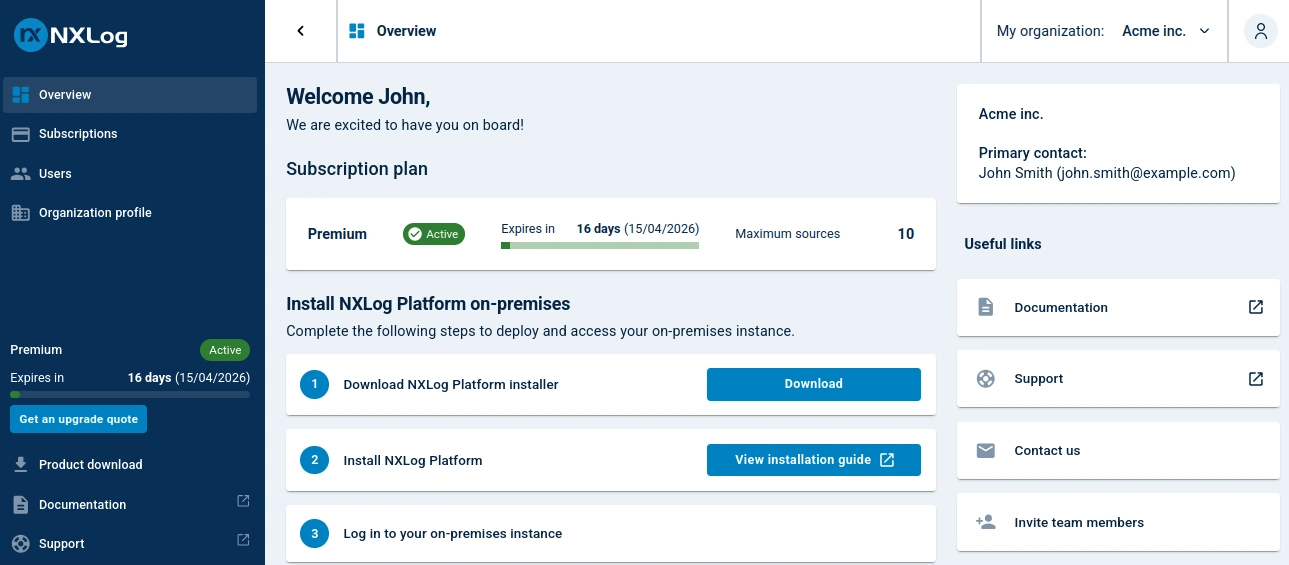
The NXLog Platform Customer Portal has been fully redesigned with a clearer onboarding flow and a reorganized navigation structure. The updated experience guides new users through the setup process with fewer steps and less ambiguity, so your team can get up and running faster.
The navigation has been restructured to surface the most common workflows more directly, reducing the number of clicks needed to reach key information and configurations. Together, these changes make the portal easier to use for both new and experienced users.
You can now also request a quote to expand or upgrade your NXLog Platform plan directly from the portal, which routes your request to the NXLog Sales team.
Find out more
Our release notes include all of the new features and fixes. Our comprehensive documentation provides additional details. Contact us below if you need help upgrading, have a feature request, or have any other questions.


