
High-Performance Syslog Server
for Windows and Linux
With NXLog Platform’s rich support for syslog formats and cross-platform operation, you can deploy it as a fully featured Windows syslog server or Linux syslog server to consolidate all your logs in one place.
Fortune 500 companies trust NXLog





Benefits of NXLog Platform
as a Windows Syslog Server
Native collection of Windows Event Log and ETW, converted directly into RFC 3164/5424 syslog
Runs as a lightweight Windows service and captures all major channels (Application, Security, System, custom logs)
Normalizes logs into common formats (Snare, BSD syslog, IETF syslog) for easy forwarding to any SIEM or log platform
High-performance, multi-threaded engine that handles large Windows event volumes without loss
Secure delivery using TCP and TLS, preventing the data loss risks of legacy UDP-only syslog tools
Ideal for centralizing Windows audit events and meeting compliance requirements with reliable, structured output
as a Linux Syslog Server
Can fully replace rsyslog/syslog-ng by collecting kernel logs, systemd journal entries, and application logs
Reads /proc/kmsg, systemd journal, and listens on /dev/log — all from a single unified service
Performs parsing, filtering, and on-the-fly transformation (JSON, metadata enrichment, normalization)
Multi-threaded, event-driven architecture processes high log volumes efficiently on modern Linux systems
Supports TCP and TLS for secure, reliable log delivery, with disk buffering during outages
Seamlessly integrates into broader pipelines (databases, SIEMs, cloud storage) for modern Linux environments
NXLog integrates with all major SIEM and Observability solutions









NXLog vs. Traditional Syslog Servers – What Makes it Different?

Unmatched flexibility & integrations
NXLog Platform supports more input sources, formats, and destinations than traditional syslog servers, collecting from Windows, Linux, network devices, apps, and cloud services, then routing anywhere with ease.

High-performance architecture
Built on a multi-threaded, event-driven core, NXLog Platform handles massive log volumes, parallel inputs, and complex processing while maintaining throughput and avoiding dropped events.

Modern compliance and governance
Role-based access control, tamper-proof audit logs, retention policies, and data masking help organizations meet regulatory standards and maintain trusted audit trails.

Easy configuration & centralized management
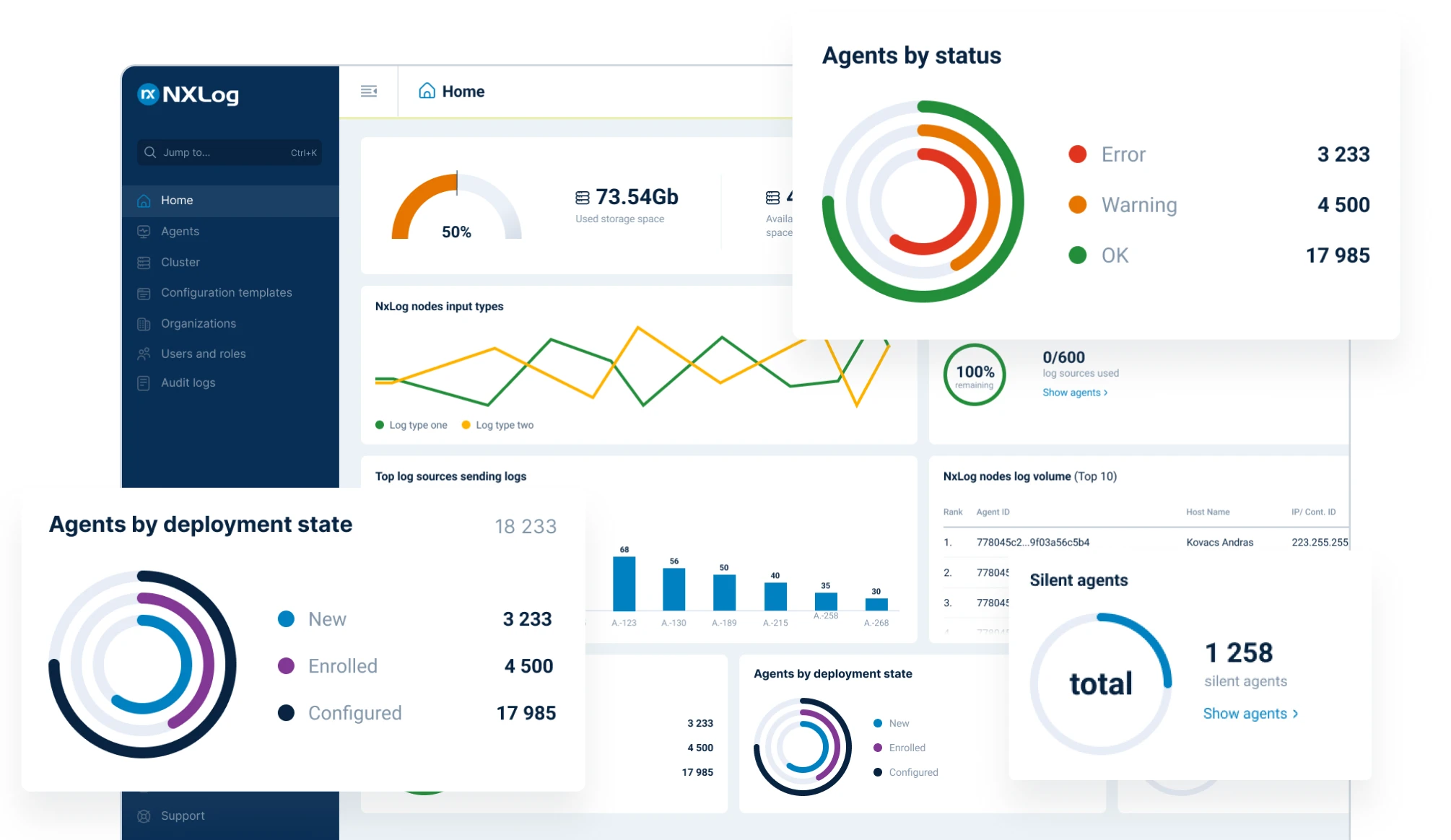
A clean, Apache-style configuration and powerful scripting simplify complex pipelines, while NXLog Platform lets you centrally deploy, update, and monitor thousands of agents from one console.

Enterprise-grade reliability & security
Reliable delivery is ensured through buffering, flow control, TLS encryption, and failover routing, protecting log integrity during outages and meeting strict security requirements.

Replace multiple tools with one platform
One cross-platform agent collects, processes, and routes all telemetry across diverse environments, removing the need for separate shippers, forwarders, and custom syslog chains.
Consolidate Your Logs In One Place
Value by Team

Platform / Observability Engineer
Deploy one agent across all OSes to simplify and standardize log collection.
Pre-process at the edge to filter, enrich, and normalize before ingestion.
Route logs to multiple analytics tools without duplicating pipelines.
Maintain consistent visibility with structured telemetry and real-time agent health.

DevOps / SRE
Reduce noise using precise filtering, suppression, and routing at the source.
Keep pipelines reliable through buffering, retries, failover, and flow control.
Speed up troubleshooting with clean event context and fast, targeted search.
Remove operational overhead by eliminating fragile shippers and JVM-heavy stacks.

Cloud / Infrastructure Engineers
Support hybrid, multi-cloud, and on-prem with agent-based or agentless collection.
Fan out logs from a single route to multiple cloud and on-prem destinations.
Run efficiently on VMs, containers, bare metal, and edge hosts with low resource use.
Automate deployment using templates, CI/CD pipelines, and config-management tools.

Platform Owner / IT Architect
Govern logging globally with centralized control, RBAC, and auditable changes.
Standardize organization-wide policies for routing, retention, and tool access.
Control observability costs using filtering, compression, and tiered storage.
Scale confidently with fleet-wide telemetry, version hygiene, and policy enforcement.
Try NXLog Platform for free
FAQs
A syslog server is a centralized log collector that receives syslog messages from devices, servers, and applications over the network. Using the standard Syslog protocol (UDP or TCP), various systems send their event messages to the syslog server, where logs are stored and made available for analysis, troubleshooting, or audit. Centralizing logs in this way helps organizations monitor systems from a single pane of glass and meet compliance requirements for log retention. In short, if you have many devices (routers, Linux servers, etc.) generating logs, a syslog server allows you to aggregate those logs in one place for easier management and review.
Yes. NXLog can run natively on Windows and effectively turn a Windows machine into a full-featured syslog server. Windows OS by itself doesn’t support sending or receiving syslog, but NXLog fills that role by collecting Windows Event Log entries and outputting them as syslog messages, or by listening on network ports to receive syslog from other devices. In fact, NXLog was designed with cross-platform support in mind – it can collect, parse, and generate logs in syslog formats on Windows just as well as on Linux. This means you can have a Windows server accept syslog data from network equipment, or forward Windows events to a Unix syslog aggregator, all using NXLog. By deploying NXLog on Windows, organizations eliminate the need for separate Windows-specific logging tools or unsupported hacks, since NXLog brings first-class syslog functionality to the Windows ecosystem.
NXLog offers several advantages over traditional syslog daemons. First, it is truly multi-platform – it runs on Windows, Linux, macOS, and more – whereas tools like rsyslog or syslog-ng are typically Linux/Unix only (no native Windows support). Second, NXLog is built for high performance with a multi-threaded core, enabling it to handle higher event rates and perform complex processing without slowing down. Many syslog tools are single-threaded, which can become a bottleneck under heavy load. Third, NXLog has a modular architecture with over a hundred input/output modules and extension modules, so it can collect logs from sources that others can’t (for example, Windows Event Log, databases, cloud services) and output to many targets. According to NXLog’s documentation, it “supports more input sources in more formats and ships to more output destinations” than alternative solutions. Additionally, NXLog provides central management (NXLog Manager) for enterprise deployments, which free tools lack – this makes it easier to manage configurations and monitor log flows across many servers. Finally, NXLog includes advanced features like buffering, encryption (TLS), and data transformation out-of-the-box, whereas with other syslog servers you often need to configure add-ons or live with limitations (for example, plain UDP forwarding with no encryption). Overall, NXLog is a more comprehensive and versatile logging solution, suitable for complex, distributed environments where the free syslog tools may fall short.
Getting started with NXLog Platform is easy. You can start with a free 30-day trial of the full enterprise product – this trial is fully functional and does not require a credit card to sign up. Simply download the NXLog Platform trial from the official website and install it on your target systems to evaluate its capabilities (both the agent and the management interface). Beyond the trial, NXLog has introduced a forever-free plan for the Platform as well. The free tier allows you to use NXLog with a limited feature set or smaller log volumes at no cost, which is great for small environments or testing before committing. For details on the free plan’s limits and how to upgrade to a paid plan for full enterprise features, you can contact NXLog’s sales or check the pricing page. In summary, you can try NXLog Platform risk-free – either through the 30-day trial or the limited free tier – and see how it works as your syslog server solution.
Absolutely. NXLog Platform was designed with security and compliance in mind. It enables centralized collection of audit logs (critical for standards like PCI DSS, HIPAA, GDPR, etc.), ensuring that all security-relevant events from Windows, Linux, network devices, and applications are in one place for review. The platform includes features like role-based access control (RBAC) for log data, so you can restrict who can view or modify sensitive logs. All logs forwarded by NXLog can be encrypted in transit (using TLS) to maintain confidentiality and integrity. Additionally, NXLog can produce tamper-proof audit trails – for example, by writing logs to append-only files or utilizing hashing – which helps satisfy requirements for immutable audit logs. For compliance use cases, NXLog’s ability to filter and mask sensitive data before forwarding logs is very useful (e.g., removing credit card numbers or PII from logs to comply with privacy laws). NXLog also offers file integrity monitoring modules and other security-focused extensions that can detect changes or unauthorized activities on systems, complementing your security monitoring strategy. In short, NXLog not only centralizes logs for compliance, but actively provides the tools to enforce log handling policies and maintain the security of your logging pipeline from end to end.
Follow us



© Copyright NXLog Ltd.