
A Splunk Universal Forwarder alternative
Discover a superior log shipper for Splunk Enterprise.
NXLog Platform is a lightweight, secure, cross-platform log agent that collects from Windows, Linux, macOS, Unix, containers, and legacy systems and forwards data to Splunk, Elastic, Datadog, and other SIEM or log analytics tools.
Splunk indexers process events forwarded by NXLog Platform up to 10× faster than those sent by Splunk Universal Forwarder.
Fortune 500 companies trust NXLog





Splunk Universal Forwarder vs. NXLog Platform at a glance
Replace Splunk Forwarder with NXLog Platform
Why teams choose NXLog Platform

Integrates with your stack (yes, even Splunk)
Works with any SIEM or log analytics tool, including Splunk, Elastic, Datadog, and more.
Forwards logs in open formats like JSON and syslog, so downstream systems don’t need to change.
Fits into existing pipelines as a drop-in shipper instead of forcing a full-stack replacement.
Can use NXLog’s own storage alongside Splunk for extra analytics or low-cost archiving.

One agent for all sources (no more heavy forwarders)
Collects from files, Windows Event Log and ETW, syslog, databases, cloud services, and more with a single agent.
Removes the need for extra collectors, scripts, or product-specific shippers for special log types.
Reduces maintenance by standardizing on one config model across all platforms and sources.
Natively captures Windows logs, so you don’t need separate WEF/WEC or heavy forwarders to aggregate events.

High performance, small footprint
Multi-threaded, event-driven core handles high event rates on modest hardware.
Efficient C/C++ implementation keeps CPU and memory usage low, even under peak loads.
Provides higher ingestion throughput than typical forwarders while doing more processing work.
Minimizes performance impact on production systems and containers.

Enterprise-grade security & resilience
Encrypts all log traffic with TLS/SSL (and mTLS where required) to protect data in transit.
Offers RBAC and tamper-proof audit logs on the management plane for controlled, traceable changes.
Includes buffering and automatic failover so logs are queued or rerouted when destinations fail.
Supports features like file integrity monitoring (FIM) and PII masking at the edge for compliance.

Flexible routing to multiple destinations
Sends the same event stream to multiple targets in parallel (e.g., SIEM, data lake, archive).
Eliminates the need for extra pipeline stages or custom duplication scripts.
Supports different formats and protocols per destination to match each tool’s expectations.
Lets security, ops, and compliance teams share data without separate collectors.

Built-in analytics and storage
Provides a scalable log store with high-compression retention for cost-effective storage.
Offers a query interface with SQL-like syntax for investigations and reporting.
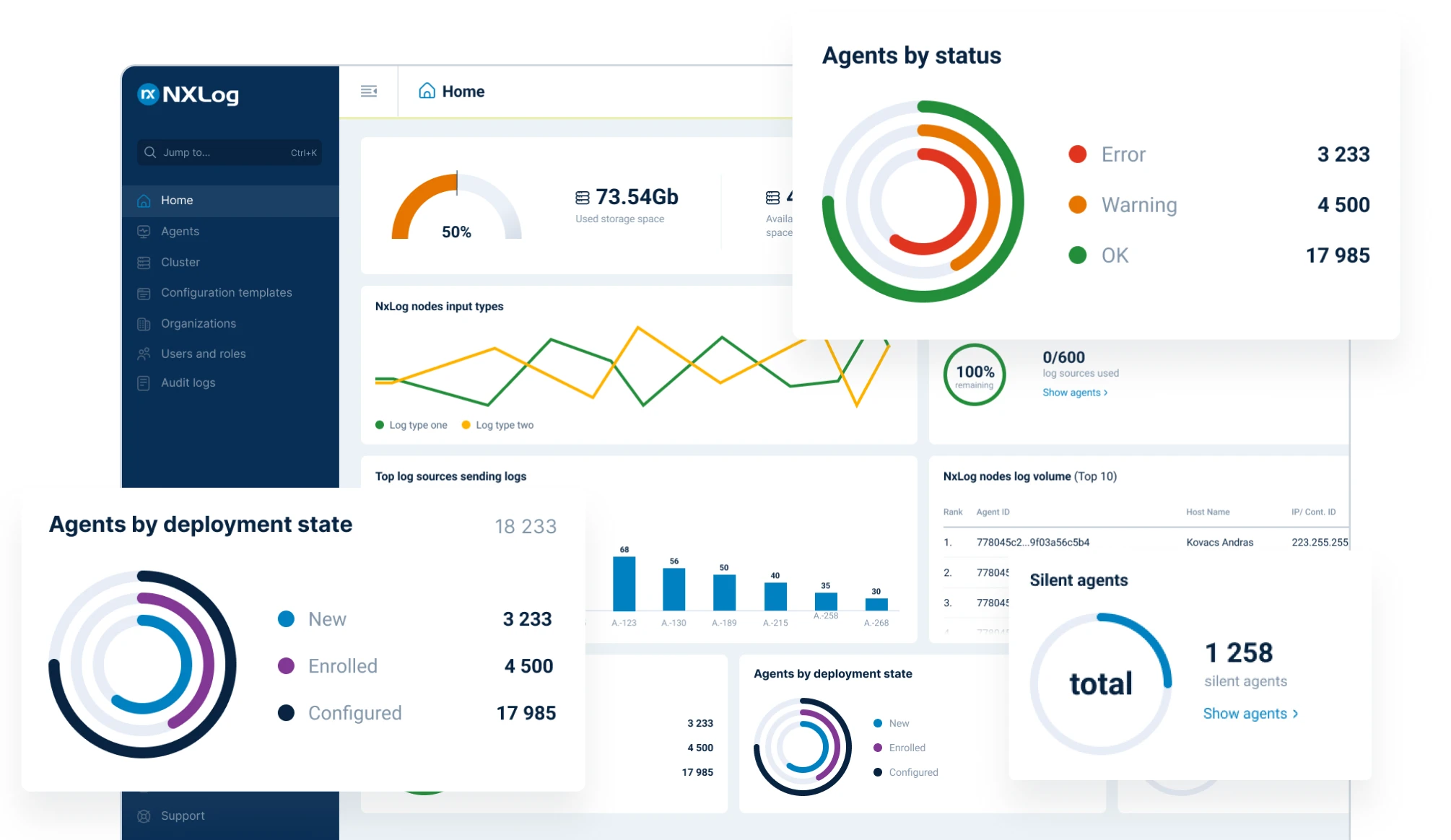
Enables dashboards and basic analytics without always relying on external SIEMs or databases.
Supports hybrid setups where only high-value data goes to expensive platforms while the rest stays in NXLog.
Need help? Book a short migration workshop
Value by Team
Platform/Observability Engineer
Deploy one agent across every OS for consistent, unified log collection and processing.
Transform and normalize data at the edge (parse, enrich, filter) to reduce central Splunk indexing load.
Route the same stream to multiple tools in parallel without custom glue or intermediate brokers.
Accelerate root cause analysis with cleaner, structured logs and real-time visibility into agent status.
DevOps/SRE
Cut alert noise with precise event filtering, thresholds, and suppression at the source.
Keep pipelines resilient with buffering, automatic retries, failover, and load balancing built in.
Shorten MTTR using fast search, correlation, and enriched context in event data.
Reduce operational toil by retiring extra log collectors and simplifying your logging pipeline.
Cloud/Infrastructure Engineer
Cover on-prem, hybrid, and multi-cloud environments with a single agent (or agentless syslog) for all inputs.
Fan out from one data stream to several cloud and on-prem destinations in parallel with ease.
Run efficiently on VMs, containers, and edge hosts thanks to a small footprint and minimal dependencies.
Automate rollouts and updates via centralized templates, CI/CD integration, and configuration management tooling.
IT Architect / Platform Owner
Govern at scale with centralized control over agents, plus RBAC and audited configuration changes.
Standardize policies for log routing, retention, and access to avoid tool sprawl and inconsistent practices.
Optimize spend by filtering out noise, compressing data in transit, and utilizing tiered storage for low-cost retention.
Operate confidently at enterprise scale with fleet-wide telemetry and simplified version management across thousands of endpoints.
Try NXLog Platform for free
FAQs
For the vast majority of Splunk forwarder use cases, yes. NXLog Platform can ingest and forward all the same logs that the Splunk UF handles – then go even further with multi-platform support, edge parsing, secure transport, built-in storage, and centralized management. In many deployments, you can simply install NXLog agents on your servers and direct them to send logs to Splunk (or any target) as before, effectively swapping out the Universal Forwarder with NXLog. This lets you eliminate the UF layer while gaining significant new capabilities without disrupting your downstream systems.
Absolutely. NXLog Platform is tool-agnostic – it integrates with any log analysis or SIEM stack. You can continue sending data to Splunk Enterprise, Splunk Cloud, or other platforms like Elasticsearch and Datadog with NXLog as the shipper. NXLog outputs logs in standard formats (JSON, syslog, etc.), so your existing dashboards and alerts will work just as before. Think of NXLog as a powerful upgrade to your log shipping layer, not a replacement for your entire monitoring ecosystem.
No. NXLog Platform is an all-in-one log collector. One NXLog agent on a host can completely replace the Splunk Universal Forwarder and any specialized log shippers or scripts. It handles files, Windows events, Linux syslog, network device logs, cloud service logs – all within one agent and one configuration. This means you won’t need to deploy separate forwarders (like heavy forwarders for parsing or Windows Event Collector services) for different sources. Fewer components and a unified config syntax across all log types let you spend less time managing collectors and more time on analysis.
NXLog Platform was designed with Windows in mind (unlike many traditional Linux-focused tools). It uses a native module (im_msvistalog) to tap directly into Windows Event Log channels (Application, System, Security, etc.) and even supports Event Tracing for Windows (ETW) to capture low-level OS or application events. In practice, NXLog can collect anything that Windows can log, without needing any separate “event log forwarder” service. This native approach preserves the full detail of each Windows event (including the rich metadata that might be lost if you convert events to syslog). It’s a major advantage for Windows-heavy environments, as you get complete log fidelity and coverage that Splunk’s forwarder can’t match (for example, grabbing EVTX and ETW events directly).
Yes – NXLog Platform is built for highly scalable, reliable operations. Its architecture supports deployments with thousands of agents and extremely high event volumes. Out of the box, NXLog includes automatic failover, load-balancing across multiple destinations, and intelligent buffering (spooling to disk or memory) to handle backpressure. If a network link or target system goes down, NXLog will queue data or switch to a secondary route automatically, ensuring you don’t lose logs during outages. In terms of scalability, large fleets (tens of thousands of endpoints) are managed through the central NXLog console with template configs and group policies, making expansion straightforward. In short, it’s ready for enterprise scale and resilience from day one.
Splunk® is a trademark of Splunk Inc. Product information is based on publicly available documentation as of December 2025.
Follow us



© Copyright NXLog Ltd.