
A Cribl alternative
One telemetry pipeline. Complete control.
Collect, transform, store, and route logs from any source – Windows Event Logs, Linux/Unix syslogs, applications, and more – with a single, lightweight, cross-platform agent. Centralized management, built-in TLS encryption, buffering, and multi-destination routing make NXLog Platform a unified, cost-effective alternative to Cribl’s multi-tool approach.
Fortune 500 companies trust NXLog





Cribl vs. NXLog Platform at a glance
Replace Cribl with NXLog Platform
Why teams choose NXLog Platform

Unified Agent (Stream + Edge in one)
Cribl requires two different collectors (Stream for aggregating and Edge for endpoints), which adds complexity and deployment overhead. NXLog uses one unified agent that can act as an endpoint and network collector, simplifying your architecture and reducing management effort.

Native Windows Log Support
Windows event collection is a #1 use-case for security, but Cribl struggles with it – Cribl Edge is unreliable and may lose data (so it’s risky to use it in desktop and laptops). NXLog was built for Windows logging, natively tapping into the Windows API (Event Log, ETW, WEF/WEC) for complete coverage of servers and workstations. This means richer event data with no workarounds needed.

Lightweight Footprint
NXLog’s agent has minimal resource needs (as low as ~60MB RAM and 50MB disk) compared to Cribl’s collectors (which require hundreds of MBs of memory and gigs of disk). The lower overhead means you can run NXLog agents on modest hardware (even IoT or OT devices) and reduce infrastructure costs.

Flexible Routing & Transformation
Both platforms let you filter, enrich, and route events to multiple destinations. However, NXLog offers this in a unified pipeline with over 120 output integrations out-of-the-box. You can fan-out data to various SIEMs, cloud services, or data lakes simultaneously without needing additional routing services.

Security & Compliance Features
NXLog Platform delivers end-to-end TLS encryption, role-based access control, and tamper-proof audit logs at the core of its design. It even provides File Integrity Monitoring (FIM) and PII data protection features for compliance. Cribl offers basic data encryption in transit, but lacks these built-in compliance tools (no built-in FIM or audit trail for user actions).

Lower Total Cost of Ownership
With Cribl, you often end up managing multiple components (Edge, Stream, plus third-party storage or SIEM) – adding resources and costs and creating siloed infrastructure. NXLog’s unified solution requires fewer moving parts and runs efficiently on less hardware, which translates to lower licensing and operational costs. Many organizations find they can consolidate functions and save on both software and infrastructure by choosing NXLog over Cribl.
Need help? Book a short migration workshop
Value by Team

Platform/Observability Engineer
One agent across all OS: Standardize on a single log agent for Windows, Linux, macOS, BSD, AIX, and Solaris, ensuring consistent collection and processing everywhere.
Native Windows support: Ingest Windows events (including Event Log and ETW) natively and even run Windows Event Collection (WEF/WEC) without extra layers or converters.
“Collect once, route to many”: Use 120+ integrations to send data to multiple tools or cloud platforms in parallel, enabling a fan-out pipeline with no duplication of effort.
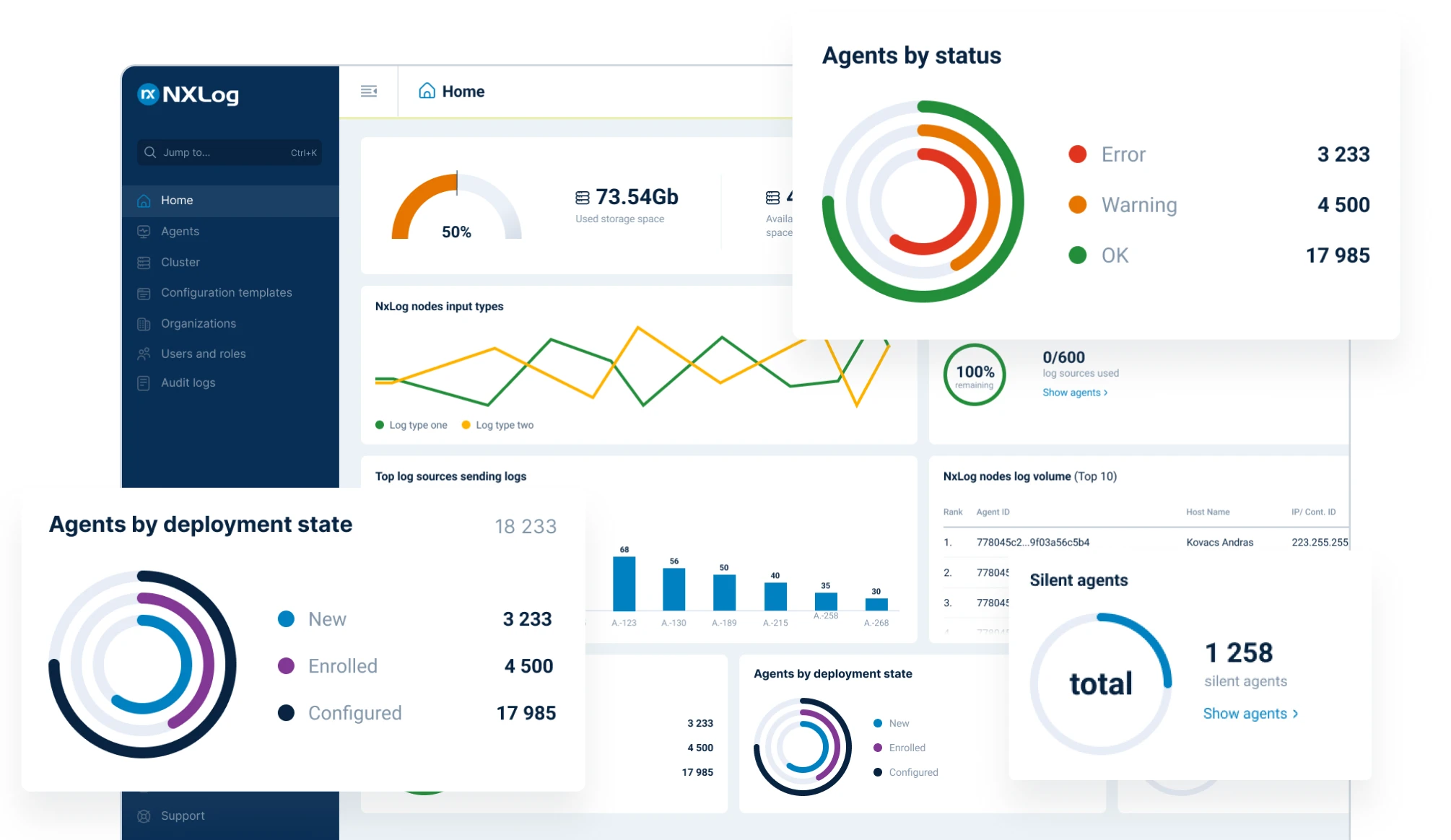
Central visibility: Monitor agent health and data flows in real time through NXLog’s central console, with visual pipeline graphs that make it easy to spot issues and optimize routing.

DevOps/SRE
Resilient by design: Keep logs flowing during incidents with built-in buffering, retries, and failover. Even under high load or network failures, NXLog’s pipeline prevents data loss.
Integrity & redundancy: Ensure mission-critical logs arrive intact by forwarding to multiple destinations (e.g. two SIEMs) concurrently. This redundancy safeguards your data and helps meet compliance SLAs.
Less infrastructure glue: NXLog can act as both an endpoint agent and a network log collector, so you can simplify or eliminate layers of relay servers that other solutions require. Fewer moving parts means fewer things to break.
Easy configuration management: Tame configuration drift with centralized, template-based configs and scheduled rollouts. Update hundreds or thousands of agents in a controlled way, all from one interface.

Cloud/Infra Engineers
Deploy anywhere: Use the same lightweight agent on-premises and in the cloud – from developers’ laptops to VMs and containers. A small footprint and efficient operation make for predictable performance in any environment.
Broad input support: Collect logs and events from wherever they live – files, syslog feeds, Windows Event Log, Docker stdout, databases, HTTP endpoints – even multi-line application logs are handled reliably with built-in parsing.
Hybrid cloud ready: Easily fan-out data from on-prem sources to multiple cloud services or regions in one go. Send some logs to AWS S3, some to Azure Monitor, and others to your on-prem SIEM simultaneously with one pipeline configuration.
Beyond logs (future-proof): When you’re ready to incorporate metrics or traces, NXLog can capture those too. It’s an observability pipeline that can grow with your needs, unifying logs and other telemetry in one tool.

Platform Owner / IT Architect
Centralized management at scale: Manage tens of thousands of agents from a single web console with hierarchical grouping, role-based access, and audit trails for every change. Scalable architecture (100k+ agents per node) means one cluster can cover your whole enterprise.
Real-time pipeline insight: Gain live visibility into pipeline performance and status. Built-in dashboards and health metrics show you exactly how each node and route is performing, and HA options for collectors/agents ensure continuity.
Built-in log retention: Reduce reliance on external log stores by using NXLog’s integrated storage for high-volume data. You can meet retention requirements and run forensic searches in-place, lowering complexity and vendor lock-in.
Enterprise support & documentation: NXLog’s solution comes with comprehensive, up-to-date documentation (no piecemeal community threads to sift through) and a team with 15+ years of log management experience behind it. This means faster troubleshooting and confidence that best practices are built into the product.
Try NXLog Platform for free
FAQs
Yes. NXLog’s single-agent design covers what Cribl accomplishes with two separate products. You can deploy NXLog agents on servers and endpoints to collect data directly, then optionally designate any agent as a relay/aggregator if needed. This flexibility means one tool handles end-to-end collection – there’s no need for a dual Stream/Edge architecture. In practice, most Cribl use-cases (collection, filtering, routing) can be addressed by NXLog alone, greatly simplifying deployments.
Migration is typically straightforward. NXLog supports all the common log formats and endpoints, so you can set up equivalent data routes for each source→destination pair you had in Cribl. It’s absolutely possible to run NXLog alongside Cribl during a transition – for example, you can have NXLog agents forward logs to the same downstream system as Cribl, or even send NXLog output into Cribl Stream for comparison. This lets you validate NXLog’s pipelines and performance in parallel before you fully cut over. Many teams do phased migrations, moving a few data sources at a time from Cribl to NXLog to ensure a smooth switch with no gaps in coverage.
Cribl’s limitation with Windows logs is a known pain point – Cribl Edge cannot be installed on regular Windows desktops/laptops, making it difficult to collect logs from user endpoints. NXLog, by contrast, has native Windows logging support. It can capture all Windows Event types (including Security, System, Application, and even ETW diagnostic logs) directly via the OS APIs. It also supports acting as a Windows Event Collector (WEC), which means it can gather events from other Windows machines using WEF subscriptions, on either Windows or Linux. In short, NXLog gives first-class treatment to Windows logging, whereas Cribl often requires workarounds (like using Windows Event Forwarder or converting events to syslog) to get similar coverage.
Absolutely. NXLog is platform-neutral and integration-rich. It can send data to any SIEM, APM, or log analytics service that accepts standard formats. Out of the box, it supports sending to Splunk, Elastic, Logstash, Azure Monitor, AWS S3, Google Chronicle, Datadog, and many more. You won’t have to replace your downstream tools – NXLog will likely plug into them natively. In fact, many users deploy NXLog specifically to improve data quality and reliability before feeding their logs into a SIEM or data lake. Think of NXLog as enhancing your existing ecosystem: you keep your current dashboards and analysis platforms, but now with cleaner and more complete data.
NXLog is designed for enterprise scale and reliability. Its agents feature in-built buffering, queueing, and failover mechanisms so that transient outages or bursts in log volume don’t result in lost data. You can cluster NXLog collectors for high availability, and load-balance incoming data across multiple nodes. The central management console helps oversee large deployments (tens of thousands of agents) with real-time monitoring of agent status and throughput. Because the agent is efficient (low CPU/RAM), scaling up to handle more logs usually just means deploying more lightweight agents – not adding heavy middleware. Many large organizations trust NXLog in production precisely because it reliably handles high event rates across globally distributed systems without choking.
Cribl is a trademark of Cribl Products. Product information is based on publicly available documentation as of December, 2025.
Follow us



© Copyright NXLog Ltd.